This article will show you how to use the trainer built into MonkerSolver — a great tool that lets you get reps in on spots you want to work on.
The trainer supports both preflop and postflop training. If you want to drill 6-max preflop, 30 minutes a day for a month will get you to a solid level. The same applies postflop — load up the spots you want to study and you will learn a lot.
Loading a Sim
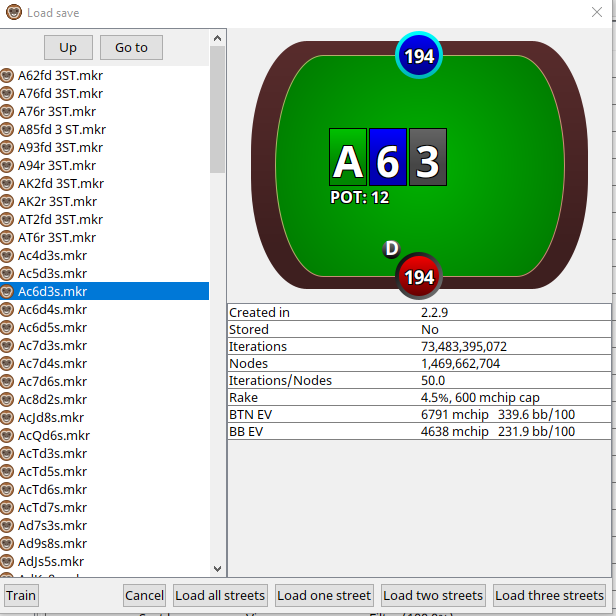
Open the Load Save dialog and select the .mkr file for the spot you want to train. You can see the board, pot size, rake structure and EV figures before loading. Choose Train on the left of the options of how many streets you want to load. I know sometimes its hard to see it if you didn't know it was there!
Using the Trainer
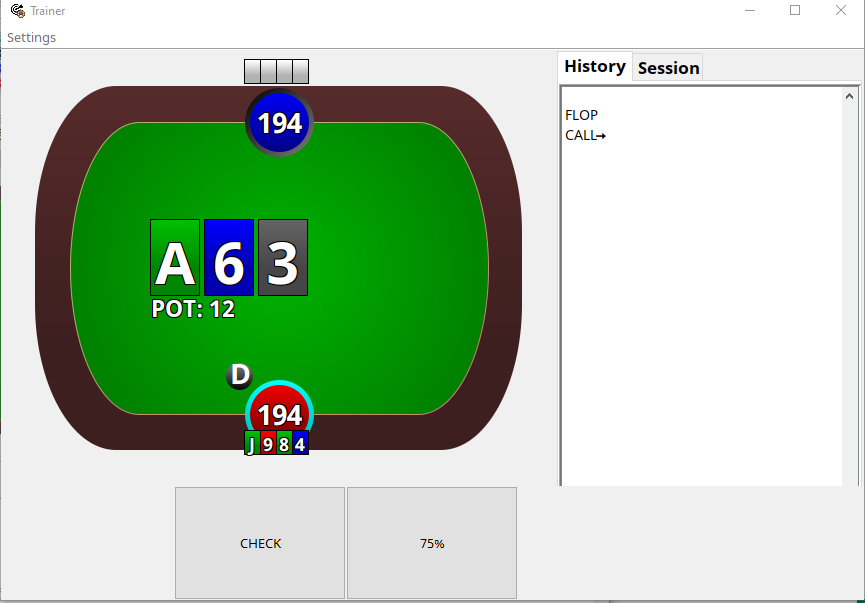
Once loaded, the trainer presents you with your hand and the available actions. Simply select what you think the correct play is.
Settings
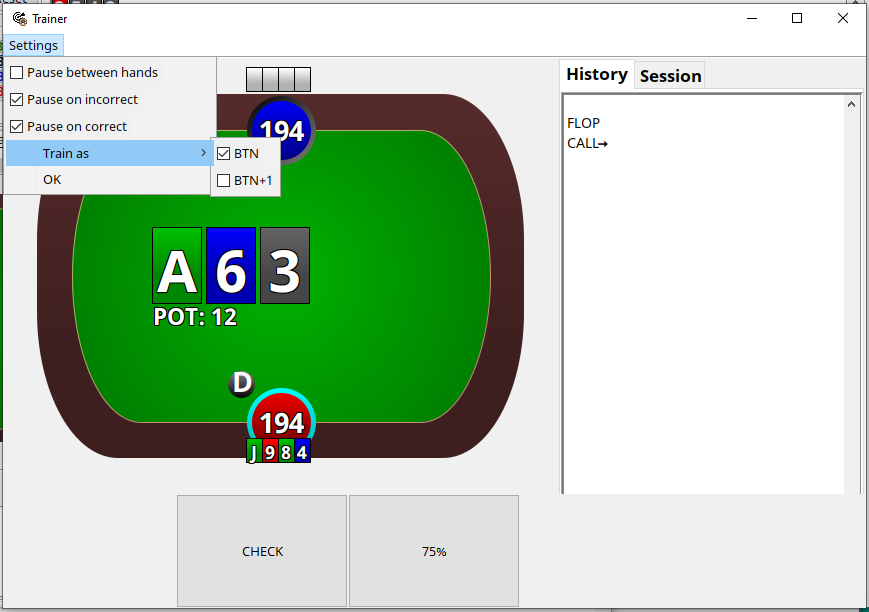
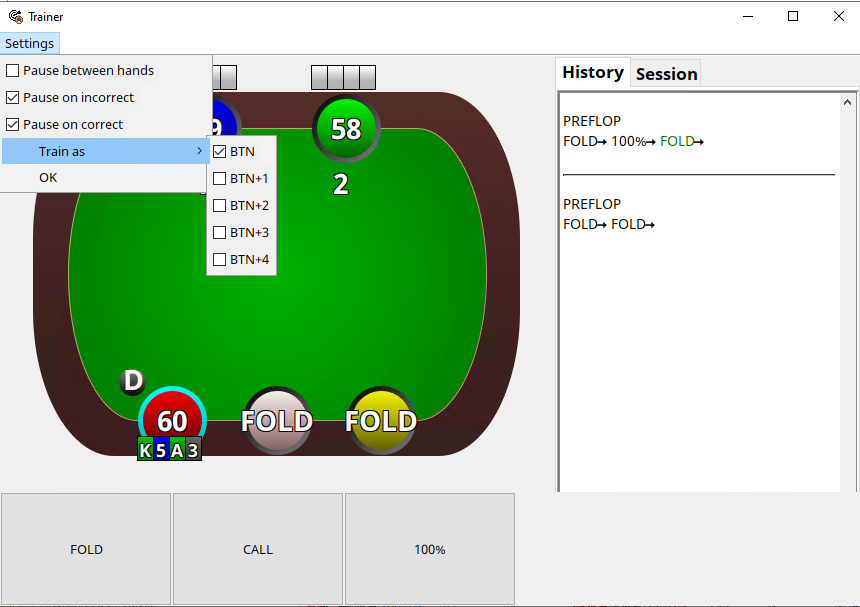
You can train either position in your sims — OOP or IP. Under Settings you can choose which seat to train as, and configure whether the trainer pauses on correct or incorrect answers, which is useful for reviewing your decisions.
Turn and River Training
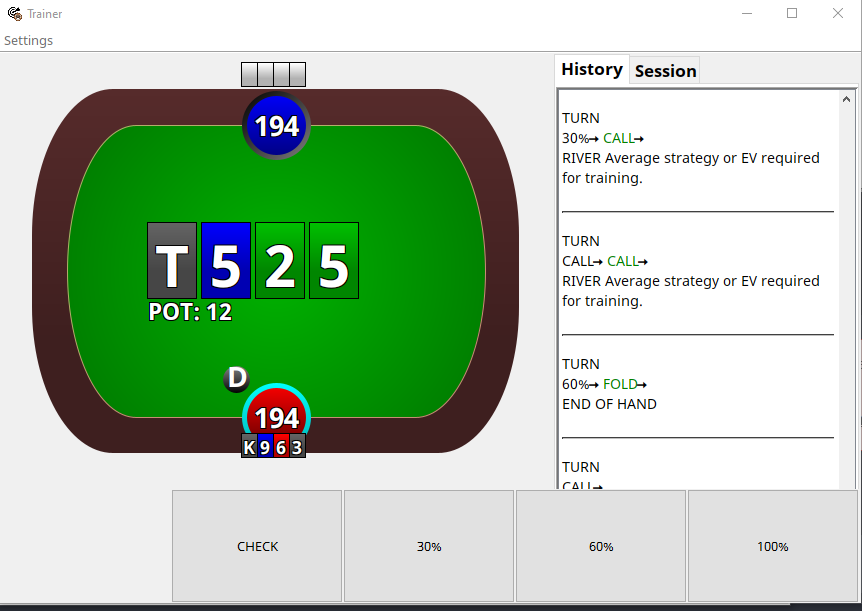
The history panel on the right logs your decisions street by street so you can review how a hand played out. If you want to train the turn or river, make sure you save the sim specifically for that street before loading.
Preflop Training
For preflop training in a 6-max sim, all positions are available to drill. The trainer randomises hands and situations, keeping the reps varied.
💬 Questions? If you have any questions, get in touch at support@plodalong.com.